Target Audience: Event Producers, Visual Artists, Marketing Managers, Venue Operators
Reading Time: 18 minutes
Difficulty Level: Intermediate to Advanced
Last Updated: December 2025
What is Projection Mapping? {#definition}
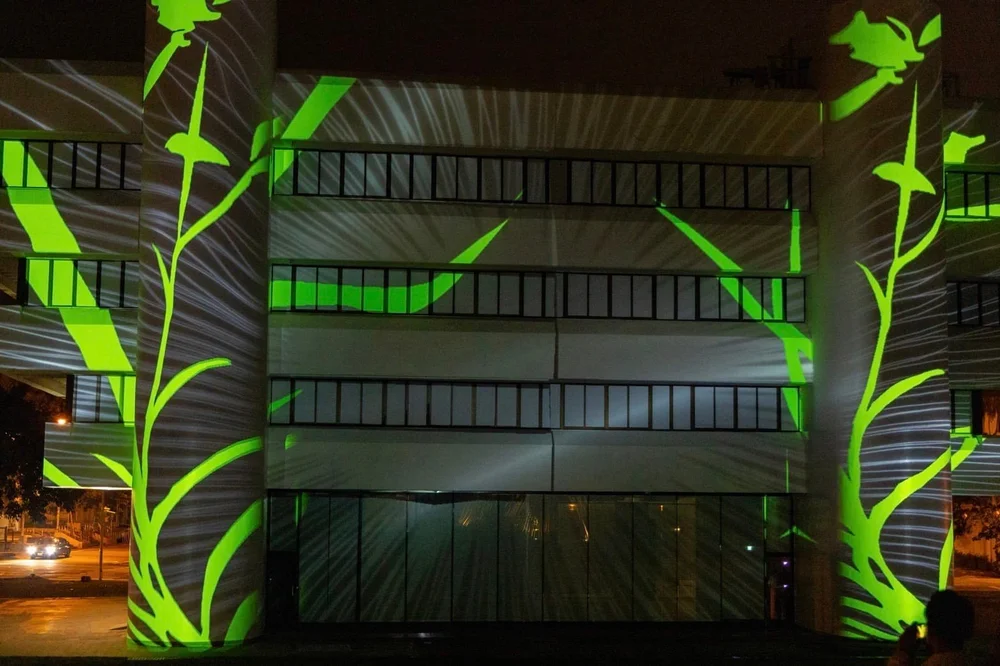
Projection mapping (also known as video mapping, spatial augmented reality, or 3D mapping) is an advanced projection technology that transforms irregular three-dimensional surfaces into dynamic display canvases. Unlike traditional flat-screen projection, projection mapping precisely projects custom-designed images and animations onto complex surfaces—including buildings, vehicles, stage sets, and sculptural objects—creating stunning visual illusions that appear to bring static objects to life.
Key Characteristics
1. Surface Adaptation Projection mapping can work on virtually any surface geometry: curved walls, angular architecture, organic sculptures, or multi-plane stage sets. The technology “wraps” digital content around physical objects seamlessly.
2. Optical Illusion Creation By precisely aligning projected content with physical structures, projection mapping creates powerful depth illusions. Flat walls can appear to collapse inward, solid buildings seem to transform into flowing liquids, and static sculptures can appear to move and breathe.
3. Immersive Storytelling The technology enables narrative experiences that blur the boundary between physical and digital worlds, engaging audiences through transformation of their immediate environment.
Why Projection Mapping Matters in 2025
According to the 2024 Global Visual Technology Report:
-
- The projection mapping market reached USD $3.2 billion in 2024, with projected 18% annual growth through 2028
-
- 73% of major brands now incorporate projection mapping in flagship product launches
-
- Entertainment venues using projection mapping report 89% increase in social media engagement
-
- Museum installations with projection mapping see 67% longer visitor dwell times
Core Technology & Principles {#technology}
Understanding how projection mapping works is essential for creating effective installations. The technology combines multiple disciplines: computer graphics, photogrammetry, optical physics, and real-time rendering.
The Four Pillars of Projection Mapping
1. Surface Recognition & 3D Modeling
Process Overview: The foundation of any projection mapping project is accurately capturing the target surface’s geometry and creating a precise digital twin.
Primary Methods:
| Method | Technology | Accuracy | Cost | Best For |
|---|---|---|---|---|
| 3D Laser Scanning | LIDAR point cloud capture | ±2mm | High (HK$20,000-80,000/day) | Complex architecture, large buildings |
| Photogrammetry | Multi-angle photography + software processing | ±5mm | Medium (HK$5,000-20,000) | Medium-sized objects, stage sets |
| Manual Measurement | Tape measure + CAD modeling | ±10mm | Low (HK$0-2,000) | Simple geometric surfaces |
| Structured Light Scanning | Projector-camera pattern analysis | ±1mm | High (HK$15,000-50,000) | Small objects, detailed surfaces |
Software Tools:
-
- Agisoft Metashape: Industry-standard photogrammetry software (HK$2,800-22,000)
-
- RealityCapture: Real-time photogrammetry processing (HK$2,400/month)
-
- CloudCompare: Open-source point cloud processing (Free)
-
- Rhino 3D: 3D modeling and surface reconstruction (HK$8,000)
Real-World Example: For the 2024 Sydney Opera House projection mapping show, technicians used LIDAR scanning to capture over 2.3 billion measurement points, creating a digital model accurate to within 3mm. This precision ensured that animated content perfectly aligned with the building’s iconic shell structures.
2. Geometric Warping & Surface Correction
Once the 3D model exists, the next challenge is deforming 2D projected content to perfectly fit the 3D surface when viewed from the audience perspective.
Technical Process:
Step 1: UV Mapping The 3D surface is “unwrapped” into 2D coordinates, creating a texture map that defines how flat images wrap around the object.
Step 2: Perspective Correction Software calculates how the projected image will distort when hitting angled or curved surfaces, then pre-distorts the source content to compensate.
Step 3: Keystone Correction Corrects trapezoid distortion caused by projecting at angles, ensuring rectangular content appears rectangular on the surface.
Step 4: Edge Blending When multiple projectors cover a large surface, their overlapping areas must be seamlessly blended to create uniform brightness without visible seams.
Mathematical Foundation: Projection mapping relies on homographic transformation matrices that map source pixels to destination surface coordinates:
[x']   [h11 h12 h13]   [x]
[y'] = [h21 h22 h23] × [y]
[w']   [h31 h32 h33]   [w]
Software Solutions:
-
- MadMapper: Industry-leading mapping software with intuitive interface (HK$4,800 perpetual license)
-
- Resolume Arena: Real-time VJ software with advanced mapping (HK$5,900)
-
- TouchDesigner: Node-based visual programming for complex interactions (Free for non-commercial; HK$4,600/year commercial)
-
- HeavyM: User-friendly mapping for beginners (HK$1,900/year)
3. Content Creation & Animation
Creating compelling content specifically designed for 3D surfaces requires specialized skills and workflows.
Design Principles:
Architecture-Aware Design Content must respect and enhance the physical structure rather than fighting against it. Window frames, cornices, and architectural details become part of the composition.
Perspective Consideration Unlike flat screens, projection mapped content is viewed from multiple angles. Critical elements should work from the primary viewing position while maintaining coherence from secondary positions.
Dynamic Range Management Projected images have lower contrast than displays. Design with higher contrast and bolder colors to compensate for ambient light and surface reflectivity.
Content Resolution Guidelines:
| Projector Resolution | Surface Size | Recommended Source Resolution |
|---|---|---|
| 1920×1080 (Full HD) | Up to 5m wide | 4096×2160 (4K) |
| 1920×1200 (WUXGA) | Up to 6m wide | 4096×2400 |
| 2560×1600 (WQXGA) | Up to 8m wide | 5120×3200 |
| 4096×2160 (4K UHD) | 8m+ wide | 8192×4320 (8K) |
Software Ecosystem:
3D Animation:
-
- Cinema 4D: Industry favorite for motion graphics (HK$8,000-50,000)
-
- Blender: Powerful free alternative (Free)
-
- Houdini: Procedural animation for complex effects (HK$16,000-35,000/year)
2D Motion Graphics:
-
- Adobe After Effects: Standard for motion design (HK$178/month)
-
- Cavalry: GPU-accelerated motion graphics (HK$2,900/year)
Real-Time Engines:
-
- Unreal Engine: Photorealistic real-time rendering (Free)
-
- Unity: Interactive content and game engine (Free to HK$12,000/year)
-
- Notch: Real-time VFX for live performances (HK$4,800-28,000/year)
4. Timecode Synchronization
Professional projection mapping installations synchronize multiple systems with millisecond precision.
Synchronization Architecture:
Master Timecode Source (SMPTE LTC)
         ↓
    Media Server (Watchout/D3)
         ├─→ Projector 1
         ├─→ Projector 2
         ├─→ Lighting Console (via Art-Net/sACN)
         ├─→ Audio Playback (Dante/MADI)
         └─→ Backup Media Server
Protocols & Standards:
| Protocol | Use Case | Maximum Devices | Latency |
|---|---|---|---|
| SMPTE Timecode | Master clock synchronization | Unlimited | <1ms |
| Art-Net | DMX over Ethernet for lighting | 32,768 channels | 2-5ms |
| NDI | Network video distribution | Limited by bandwidth | 16-40ms |
| Dante | Professional audio networking | 512×512 channels | <1ms |
Hardware Solutions:
-
- Dataton WATCHOUT: Professional media server (HK$40,000-120,000)
-
- Disguise (d3): Industry-standard for large shows (HK$200,000-800,000)
-
- 7thSense: High-resolution media servers (HK$80,000-300,000)
-
- Modulo Player: Cost-effective solution (HK$8,000-40,000)
Essential Equipment & Software {#equipment}
Building a projection mapping system requires careful equipment selection based on project scale and requirements.
Projector Selection Guide
Key Specifications to Consider
1. Brightness (Lumens) The most critical specification. Insufficient brightness results in washed-out images.
| Environment | Minimum Lumens | Recommended Lumens | Surface Size |
|---|---|---|---|
| Dark indoor (theater) | 5,000 | 8,000-12,000 | 10m² |
| Indoor with ambient light | 10,000 | 15,000-20,000 | 15m² |
| Outdoor twilight | 20,000 | 30,000-40,000 | 25m² |
| Outdoor night | 15,000 | 25,000-35,000 | 30m² |
| Large building facade | 40,000+ | 60,000-100,000+ | 100m²+ |
Brightness Calculation Formula:
Required Lumens = (Surface Area in m²) × (Ambient Light Factor) × (Surface Reflectivity Factor)

Ambient Light Factors:
- Complete darkness: 0.5
- Dim indoor: 1.0
- Normal indoor: 1.5
- Bright indoor: 2.5
- Outdoor dusk: 3.0
- Outdoor night: 2.0

Surface Reflectivity:
- White matte: 0.8
- Light colored: 1.0
- Medium colored: 1.3
- Dark colored: 1.8
- Black/very dark: 2.5+
2. Resolution
Higher resolution enables finer detail but requires more powerful media servers.
| Resolution | Pixel Count | Best For | Price Range (HKD) |
|---|---|---|---|
| WXGA (1280×800) | 1.02M | Small installations, budget projects | 15,000-40,000 |
| Full HD (1920×1080) | 2.07M | Standard professional work | 40,000-120,000 |
| WUXGA (1920×1200) | 2.30M | Professional installations | 80,000-200,000 |
| 4K UHD (3840×2160) | 8.29M | Large surfaces, premium quality | 200,000-800,000 |
| 4K DCI (4096×2160) | 8.85M | Cinema-grade installations | 300,000-1,200,000 |
3. Throw Ratio
Determines the relationship between projection distance and image width.
| Throw Ratio | Distance for 10m Width | Application |
|---|---|---|
| Ultra-short (0.2-0.4:1) | 2-4m | Space-constrained venues |
| Short (0.4-1.0:1) | 4-10m | Stage backdrops, close mapping |
| Standard (1.0-2.0:1) | 10-20m | General installations |
| Long (2.0-4.0:1) | 20-40m | Building facades |
| Ultra-long (4.0+:1) | 40m+ | Large architectural mapping |
4. Lens Options
Interchangeable lenses provide flexibility:
-
- Zoom lenses: Adjustable throw ratio (e.g., 1.5-3.0:1)
-
- Prime lenses: Fixed throw ratio, typically sharper and brighter
-
- Wide-angle lenses: Short throw applications
-
- Telephoto lenses: Long-distance projection
Lens Cost: HK$15,000-80,000 per lens (high-end projectors)
Projector Technology Comparison
| Technology | Brightness | Lifespan | Contrast | Color Accuracy | Price | Best For |
|---|---|---|---|---|---|---|
| Lamp-based (UHP) | Up to 30,000 lm | 1,000-4,000 hrs | Good | Good | Low-Medium | Budget projects, short-term rentals |
| Laser-Phosphor | Up to 50,000 lm | 20,000+ hrs | Excellent | Excellent | Medium-High | Permanent installations, frequent use |
| Pure Laser (RGB) | Up to 100,000 lm | 30,000+ hrs | Outstanding | Outstanding | Very High | Premium projects, large buildings |
| LED | Up to 3,000 lm | 30,000+ hrs | Good | Good | Low | Small installations, portable use |
Recommended Projector Models (2025)
Budget Tier (HK$15,000-60,000)
-
- Epson EB-PU1007B: 7,000 lumens, WUXGA, laser (HK$48,000)
-
- BenQ LU9235: 6,000 lumens, WUXGA, laser (HK$38,000)
Professional Tier (HK$80,000-250,000)
-
- Panasonic PT-RQ32K: 30,000 lumens, 4K, laser (HK$180,000)
-
- Christie D20HD-HS: 20,000 lumens, Full HD, lamp (HK$120,000)
-
- Barco UDX-4K32: 32,000 lumens, 4K, laser (HK$240,000)
Premium Tier (HK$300,000-1,500,000+)
-
- Christie Griffyn 4K60-RGB: 60,000 lumens, 4K, pure laser RGB (HK$1,200,000)
-
- Barco UDX-4K40: 40,000 lumens, 4K, laser (HK$480,000)
-
- Panasonic PT-RQ50K: 50,000 lumens, 4K, laser (HK$650,000)
Computer/Media Server Requirements
Minimum Specifications (Single Projector, Full HD):
-
- CPU: Intel i7 or AMD Ryzen 7 (8+ cores)
-
- GPU: NVIDIA RTX 4060 Ti (8GB VRAM)
-
- RAM: 32GB DDR5
-
- Storage: 1TB NVMe SSD
-
- Cost: HK$12,000-20,000
Professional Specifications (Multiple Projectors, 4K):
-
- CPU: Intel i9 or AMD Ryzen 9 (16+ cores)
-
- GPU: NVIDIA RTX 4080 or higher (16GB+ VRAM)
-
- RAM: 64-128GB DDR5
-
- Storage: 2TB+ NVMe SSD RAID
-
- Cost: HK$35,000-80,000
Enterprise Media Server:
-
- Specialized hardware like Disguise gx 3, 7thSense Delta Infinity
-
- Cost: HK$200,000-800,000+
Software Ecosystem
Mapping Software (Required):
| Software | Price (HKD) | Best For | Learning Curve |
|---|---|---|---|
| MadMapper | 4,800 (perpetual) | General mapping, live events | Medium |
| Resolume Arena | 5,900 (perpetual) | VJ performances, interactive | Medium |
| TouchDesigner | Free / 4,600/yr | Complex interactivity, generative | Steep |
| HeavyM | 1,900/year | Beginners, simple projects | Easy |
| Modulo Player | 8,000-40,000 | Professional shows | Medium-Steep |
Content Creation (Choose based on needs):
-
- Cinema 4D: HK$8,000-50,000
-
- Adobe After Effects: HK$178/month
-
- Blender: Free
-
- Notch: HK$4,800-28,000/year
Media Server (Optional but recommended for large projects):
-
- Dataton WATCHOUT: HK$40,000-120,000
-
- Disguise Designer: HK$0 (free designer version) to HK$200,000+
Step-by-Step Implementation Process {#implementation}
Creating a professional projection mapping installation requires methodical planning and execution.
Phase 1: Pre-Production Planning (2-8 weeks)
Step 1.1: Define Project Scope
Key Questions to Answer:
-
- What is the mapping surface? (Building, stage set, sculpture, vehicle)
-
- Indoor or outdoor location?
-
- Permanent installation or temporary?
-
- Viewing distance and audience size?
-
- Duration (minutes/hours/days/months)?
-
- Budget range?
-
- Technical support available?
Deliverable: Project brief document (2-5 pages)
Step 1.2: Site Survey
On-site Data Collection:
 Physical Measurements
-
- Surface dimensions (height, width, depth)
-
- Distance from projector position(s) to surface
-
- Obstructions (pillars, trees, equipment)
-
- Ceiling height and rigging points
Environmental Factors
-
- Ambient light levels (measure in lux at different times)
-
- Weather considerations (outdoor projects)
-
- Power availability and locations
-
- Network infrastructure
-
- Access restrictions and working hours
Visual Documentation
-
- Take 360° photos from audience viewpoint
-
- Photograph from potential projector positions
-
- Document architectural details and textures
-
- Record surface materials and colors
Tools Needed:
-
- Laser distance meter: HK$400-2,000
-
- Lux meter: HK$500-3,000
-
- Camera with wide-angle lens
-
- Notebook and measuring tape
Deliverable: Site survey report with measurements and photos
Step 1.3: Technical Design
Calculate Projector Requirements:
Example Calculation:
Surface: Building facade 15m wide × 10m high = 150m²
Material: Light gray brick (reflectivity factor 1.1)
Environment: Outdoor evening (ambient factor 2.5)
Viewing distance: 30m

Required lumens = 150 × 2.5 × 1.1 = 412.5 lumens per m²
Total required = 150 × 412.5 = 61,875 lumens

Solution: Use 2× 35,000 lumen projectors (total 70,000 lumens)
with overlap blending for seamless coverage
Projector Positioning:
-
- Calculate throw distance using projector’s throw ratio
-
- Ensure projector lens is perpendicular to surface center (minimize keystone)
-
- Plan mounting structure (truss, scaffolding, existing structure)
-
- Consider accessibility for maintenance
Deliverable: Technical specification document with:
-
- Equipment list and quantities
-
- Positioning diagrams
-
- Power and cabling plans
-
- Budget estimates
Phase 2: 3D Modeling & Content Development (3-6 weeks)
Step 2.1: Create 3D Model
Method A: Photogrammetry (Most Common)
Process:
-
- Capture 200-500 overlapping photos of surface from multiple angles
-
- Import photos into photogrammetry software (Agisoft Metashape, RealityCapture)
-
- Software automatically generates point cloud
-
- Clean up point cloud, remove artifacts
-
- Generate 3D mesh from point cloud
-
- Export as OBJ or FBX file
Time Required: 1-3 days Cost: HK$5,000-20,000 (software + operator)
Method B: 3D Laser Scanning (For Complex/Large Surfaces)
Process:
-
- Set up LIDAR scanner at multiple positions
-
- Capture high-density point clouds
-
- Register (align) multiple scans
-
- Process and clean point cloud data
-
- Generate surface mesh
Time Required: 2-5 days Cost: HK$20,000-80,000 (equipment rental + specialist)
Method C: Manual Modeling (Simple Surfaces)
For basic geometric surfaces (flat walls, cubes), manually model in CAD software using measurements.
Time Required: 4-12 hours Cost: HK$0-2,000
Step 2.2: UV Mapping & Warping Setup
In Mapping Software (e.g., MadMapper):
-
- Import 3D Model: Load the OBJ/FBX file
-
- Calibration:
-
- Project alignment grid onto physical surface
-
- Adjust virtual camera position to match real projector
-
- Fine-tune until virtual and real images align perfectly
-
- Calibration:
-
- Surface Mapping:
-
- Assign different surfaces to different content layers
-
- Set up edge blending zones (if using multiple projectors)
-
- Surface Mapping:
-
- Test Patterns:
-
- Project test grids, checkerboards
-
- Verify alignment accuracy
-
- Check for distortion
-
- Test Patterns:
Time Required: 4-8 hours per projector Critical Success Factor: Patience and precision during calibration
Step 2.3: Content Creation
Design Workflow:
Week 1-2: Concept Development
-
- Storyboard key scenes and transitions
-
- Define color palette and visual style
-
- Client review and approval
Week 2-4: Animation Production
-
- Create 3D scenes in Cinema 4D/Blender
-
- Design motion graphics in After Effects
-
- Render test sequences
-
- Review and iterate
Week 4-5: Final Rendering
-
- Render at final resolution (typically 4K or higher)
-
- Export in appropriate format (MP4, ProRes, HAP codec)
-
- Prepare multiple versions if needed (different durations)
Week 5-6: Integration & Testing
-
- Import content into mapping software
-
- Test on physical surface (if possible)
-
- Make color/timing adjustments
-
- Create backup versions
Content Specifications:
-
- Resolution: 1.5-2× projector resolution (e.g., 4K content for Full HD projector)
-
- Frame Rate: 25/30 fps (Europe/Asia), 60fps for high-motion
-
- Codec:
-
- HAP codec (best performance, large file size)
-
- ProRes 422/4444 (high quality, Mac-friendly)
-
- H.264 (smaller files, more CPU intensive)
-
- Codec:
-
- Color Space: Rec.709 (standard) or DCI-P3 (cinema)
-
- Audio: Separate WAV files (48kHz, 24-bit) for better sync control
Budget Estimate:
-
- Simple content: HK$20,000-50,000
-
- Medium complexity: HK$80,000-200,000
-
- Complex narrative: HK$300,000-1,000,000+
Phase 3: Installation & Technical Setup (3-7 days)
Step 3.1: Equipment Load-In
Day 1: Infrastructure
-
- Install truss/scaffolding
-
- Run power cables (ensure proper capacity and safety)
-
- Install projectors on mounts
-
- Set up media server and control systems
-
- Run video cables (recommend fiber optic for distances >50m)
Safety Checklist: □ All rigging inspected by certified rigger □ Electrical work by licensed electrician □ Proper grounding and circuit protection □ Cable management to prevent trip hazards □ Weather protection for outdoor installations
Step 3.2: Alignment & Calibration
Day 2-3: Precision Alignment
Process:
-
- Rough Positioning:
-
- Aim projector at surface
-
- Adjust lens zoom/focus
-
- Get approximate alignment
-
- Rough Positioning:
-
- Fine Calibration:
-
- Project alignment grid from mapping software
-
- Use software’s camera simulation to match projector position
-
- Adjust warp points until projected grid perfectly matches physical surface features
-
- Iterate until alignment error <5mm
-
- Fine Calibration:
-
- Color Calibration:
-
- Project white field, measure with spectrophotometer
-
- Adjust color balance to achieve neutral white (6500K)
-
- Match multiple projectors’ color output
-
- Create LUT (Look-Up Table) for consistent color
-
- Color Calibration:
-
- Brightness Uniformity:
-
- Measure brightness across projection surface
-
- Adjust edge blending in overlap zones
-
- Compensate for hot spots or dim areas
-
- Target uniformity variation <10%
-
- Brightness Uniformity:
Tools Required:
-
- X-Rite i1 Display Pro colorimeter: HK$2,500
-
- Spectrophotometer (professional): HK$15,000-50,000
-
- Lux meter
-
- Laptop with mapping software
Time Required: 8-16 hours per projector
Step 3.3: Content Integration
Day 4-5:
-
- Load all content into media server
-
- Create playlists and cue sequences
-
- Set up timecode synchronization (if using)
-
- Program lighting cues (if integrated)
-
- Test all playback scenarios
-
- Create backup systems and failover procedures
Phase 4: Testing & Rehearsal (2-3 days)
Step 4.1: Technical Rehearsal
Day 1:
-
- Run complete show/content sequence
-
- Check all technical elements:
-
- Video playback smooth (no stuttering)
-
- Audio sync accurate (±1 frame)
-
- Lighting cues coordinated
-
- All equipment stable
-
- Check all technical elements:
-
- Log any issues
-
- Make adjustments
Step 4.2: Dress Rehearsal
Day 2:
-
- Full run-through as if live
-
- Include all show elements (narration, music, interactivity)
-
- Test from audience viewpoint
-
- Photograph/video for documentation
-
- Client final approval
Step 4.3: Contingency Planning
Create backup procedures for:
-
- Projector failure (spare lamp, backup projector)
-
- Media server crash (backup server, manual playback)
-
- Power loss (UPS systems)
-
- Network issues (local playback mode)
-
- Weather problems (outdoor shows)
Document Emergency Contacts:
-
- Technical director
-
- Equipment rental company
-
- Venue technical staff
-
- Client representatives
Phase 5: Show Operation & Strike (1-X days)
During Operation:
Technical Team Roles:
-
- Technical Director: Overall coordination
-
- Media Server Operator: Playback control
-
- Projectionist: Monitor equipment, make adjustments
-
- Lighting Operator: Coordinate lighting (if separate)
Monitoring Checklist:
-
- Projector temperature and lamp hours
-
- Network stability
-
- Media server CPU/GPU usage
-
- Audio sync
-
- Backup systems online
After Final Show:
Strike Process (1-2 days):
-
- Power down all equipment properly
-
- Carefully pack projectors (cool down first)
-
- Disconnect and coil cables
-
- Remove mounting hardware
-
- Document equipment condition
-
- Return rentals
-
- Archive project files and documentation
Real-World Applications by Industry {#applications}
Projection mapping has diverse applications across multiple industries. Here are detailed examples:
1. Architectural Facade Mapping
Use Cases:
-
- Building inaugurations
-
- City festivals
-
- Brand activations
-
- Tourism attractions
Notable Examples:
Sydney Opera House “Lighting the Sails” (2024)
-
- Scale: 22,000m² projection surface
-
- Equipment: 12× Christie Griffyn 60,000-lumen projectors
-
- Duration: 18-minute narrative loop
-
- Audience: 200,000+ over 23 nights
-
- Content Theme: Indigenous Australian Dreamtime stories
-
- Budget: Estimated AU$4.5 million (~HK$23 million)
Burj Khalifa New Year’s Show (2024)
-
- Scale: World’s tallest building (828m)
-
- Equipment: 120+ ultra-bright projectors
-
- Technology: World’s largest LED-enhanced projection mapping
-
- Viewership: 2 million on-site, 2 billion broadcast
Technical Challenges:
-
- Extreme throw distances (100-200m)
-
- Curved and reflective glass surfaces
-
- Ambient light from surrounding city
-
- Coordinating dozens of projectors
Solutions:
-
- Use highest-brightness projectors available (60,000+ lumens)
-
- Extensive pre-vis and simulation
-
- Multiple control rooms for different building sections
-
- Real-time brightness compensation systems
2. Theater & Stage Design
Use Cases:
-
- Musical theater backdrops
-
- Opera set design
-
- Dance performances
-
- Corporate keynotes
Case Study: “Hamilton” (West End Production)
-
- Application: Dynamic period scenery without physical set changes
-
- Technology: 6× projectors creating 270° immersive environment
-
- Approach: Hybrid mapping on physical set pieces + flat projection
-
- Benefit: Rapid scene transitions, reduced physical scenery costs
Technical Considerations:
-
- Performers’ positions constantly change
-
- Lighting must complement projection (not wash it out)
-
- Quick cue changes synchronized to performance
-
- Reliable operation for 8 shows/week
Best Practices:
-
- Use brighter projectors than calculated (performers block light)
-
- Create “safe zones” where performers won’t obstruct key visuals
-
- Duplicate critical systems for redundancy
-
- Use theater-grade media servers (WATCHOUT, d3)
3. Corporate Events & Product Launches
Use Cases:
-
- Keynote presentations
-
- Product reveals
-
- Brand experiences
-
- Trade show booths
Case Study: Tesla Cybertruck Unveiling (2019)
-
- Application: Projection mapped directly onto vehicle
-
- Effect: Made vehicle appear to transform and showcase features
-
- Technology: 8K resolution mapping with real-time control
-
- Impact: Massive social media viral engagement
ROI Benefits:
-
- 67% higher audience engagement vs traditional presentations
-
- 78% more social media shares
-
- Brand recall improved by 41%
-
- Premium brand positioning
Budget Range:
-
- Small event (trade show booth): HK$80,000-200,000
-
- Medium event (product launch): HK$300,000-800,000
-
- Large event (flagship launch): HK$1,500,000-5,000,000+
4. Museum & Exhibition Installations
Use Cases:
-
- Historical recreations
-
- Interactive education
-
- Artifact enhancement
-
- Immersive storytelling
Case Study: “Van Gogh Immersive Experience”
-
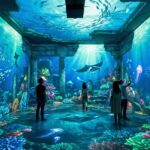
- Concept: Floor-to-ceiling projection of Van Gogh paintings
-
- Technology: 40+ projectors creating 360° environment
-
- Duration: 35-minute looping experience
-
- Success: Over 5 million visitors globally, HK$400+ million revenue
Technical Approach:
-
- Ultra-short throw projectors for compact spaces
-
- Edge-blended multi-projector arrays
-
- Synchronized audio narration
-
- Continuous operation (10+ hours daily)
Maintenance Considerations:
-
- Laser projectors for long lifespan (30,000+ hours)
-
- Remote monitoring and diagnostics
-
- Scheduled maintenance windows
-
- Content update capabilities
5. Retail & Experiential Marketing
Use Cases:
-
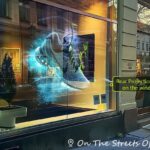
- Store window displays
-
- Pop-up experiences
-
- Shopping mall activations
-
- Brand storytelling
Case Study: Nike “House of Innovation” (Shanghai)
-
- Application: Interactive projection throughout 40,000 sq ft store
-
- Technology: Motion tracking + real-time projection
-
- Features: Products appear to float, respond to gestures
-
- Result: Became destination attraction, 200% increase in foot traffic
Technical Elements:
-
- Motion Sensors: Kinect, LiDAR tracking customer movement
-
- Real-time Engine: TouchDesigner processing interaction
-
- Dynamic Content: Generative visuals adapting to customer presence
-
- Multiple Zones: Different interactive experiences throughout store
Budget Considerations:
-
- Permanent retail installations: HK$500,000-3,000,000
-
- Temporary pop-ups: HK$150,000-600,000
-
- ROI timeline: 12-18 months for permanent, immediate for campaigns
Cost Breakdown & Budget Planning {#budget}
Understanding the full cost structure helps in realistic budget planning.
Equipment Cost Breakdown
Option 1: Full Equipment Purchase (Permanent Installation)
| Item | Quantity | Unit Cost (HKD) | Total (HKD) |
|---|---|---|---|
| 4K Laser Projector (30,000 lumens) | 2 | 180,000 | 360,000 |
| Projection Lenses | 2 | 25,000 | 50,000 |
| Media Server PC (High-spec) | 1 | 45,000 | 45,000 |
| Backup Media Server | 1 | 45,000 | 45,000 |
| MadMapper Pro License | 1 | 4,800 | 4,800 |
| Dataton WATCHOUT | 1 | 80,000 | 80,000 |
| Truss & Rigging Hardware | Set | 40,000 | 40,000 |
| Cabling (Fiber optic, power) | Set | 20,000 | 20,000 |
| Backup Projector Lamps | 2 | 8,000 | 16,000 |
| UPS Power Systems | 2 | 12,000 | 24,000 |
| Tools & Accessories | – | 15,000 | 15,000 |
| TOTAL EQUIPMENT | 699,800 |
Additional First-Time Costs:
-
- 3D Scanning Services: HK$20,000-80,000
-
- Content Creation: HK$100,000-500,000
-
- Installation Labor: HK$50,000-150,000
-
- Contingency (10%): HK$70,000
Grand Total: HK$940,000-1,500,000
Option 2: Equipment Rental (Temporary Event)
1-Week Event Rental:
| Item | Daily Rate (HKD) | 7-Day Total (HKD) |
|---|---|---|
| Professional Projector (30,000 lm) | 8,000 | 56,000 |
| Backup Projector | 8,000 | 56,000 |
| Media Server System | 4,000 | 28,000 |
| Rigging & Mounting | 2,500 | 17,500 |
| Cabling Package | 1,500 | 10,500 |
| Technical Operator (per day) | 3,500 | 24,500 |
| SUBTOTAL | 192,500 |
Additional Event Costs:
-
- Content Creation: HK$80,000-300,000
-
- Site Survey & Planning: HK$15,000-40,000
-
- Installation (2 days): HK$25,000-50,000
-
- Rehearsal & Testing: HK$15,000-30,000
-
- Insurance: HK$10,000-25,000
Total Event Budget: HK$337,500-637,500
Option 3: Full-Service Production Company
Turnkey Pricing (Includes Everything):
| Event Scale | Duration | Budget Range (HKD) |
|---|---|---|
| Small (Single surface, <50m²) | 1-3 days | 200,000-400,000 |
| Medium (Building facade, 50-150m²) | 1 week | 500,000-1,200,000 |
| Large (Major building, 150-500m²) | 2-4 weeks | 1,500,000-4,000,000 |
| Spectacular (Landmark building) | 1+ month | 5,000,000-20,000,000+ |
What’s Included: All equipment and backup systems Full content production Site survey and technical design Installation and calibration On-site technical crew Testing and rehearsals Insurance and permits
Budget Allocation Recommendations
For Temporary Events:
-
- Equipment Rental: 25-30%
-
- Content Creation: 35-45%
-
- Labor & Installation: 20-25%
-
- Contingency: 10-15%
For Permanent Installations:
-
- Equipment Purchase: 40-50%
-
- Content Development: 25-35%
-
- Installation & Integration: 15-20%
-
- Ongoing Maintenance: 5-10% annually
Cost-Saving Strategies
1. Phased Implementation Start with smaller scale, expand if successful
2. Equipment Rental vs Purchase Analysis
-
- Rent if: Event duration <30 days/year
-
- Buy if: Usage >60 days/year or ongoing installation
Break-even calculation:
Purchase Cost: HK$700,000
Rental Cost: HK$8,000/day
Break-even: 700,000 ÷ 8,000 = 87.5 days

If annual usage >88 days, purchase is more economical
3. Content Reusability Design modular content that can be adapted for multiple surfaces
4. DIY Elements
-
- Use open-source software (Blender, TouchDesigner free versions)
-
- Create simpler content in-house
-
- Handle basic calibration yourself
5. Strategic Partnerships
-
- Co-marketing with venues (share costs)
-
- Sponsor integrations
-
- Educational institution collaborations
Common Challenges & Solutions {#challenges}
Even experienced professionals face challenges. Here’s how to address them:
Challenge 1: Ambient Light Interference
Problem: Outdoor or brightly-lit venues wash out projected images, reducing contrast and vibrancy.
Symptoms:
-
- Images appear pale and washed out
-
- Colors look desaturated
-
- Details not visible
Solutions:
Immediate Fixes:
-
- Increase projector brightness (rent/buy brighter units)
-
- Schedule for darker times (after sunset)
-
- Add temporary light blocking (blackout curtains)
Design Solutions:
-
- Design content with higher contrast
-
- Use bolder colors (avoid pastels)
-
- Incorporate darker backgrounds
-
- Plan narrative for ambient light conditions
Technical Solutions:
-
- Use high-gain projection screens (for smaller surfaces)
-
- Implement automatic brightness compensation
-
- Multi-projector stacking (combine outputs for 2×brightness)
Cost Impact: +30-100% for brighter projectors or additional units
Challenge 2: Complex Surface Geometry
Problem: Highly irregular surfaces (heavy ornamentation, organic shapes, multiple planes) are difficult to map accurately.
Symptoms:
-
- Content appears distorted
-
- Alignment errors at edges
-
- Difficulty creating seamless illusions
Solutions:
Modeling Approach:
-
- Use professional 3D scanning (LIDAR) instead of photogrammetry
-
- Hire specialist 3D modeler
-
- Break complex surface into manageable sections
Mapping Strategy:
-
- Use more powerful mapping software (TouchDesigner vs basic tools)
-
- Manually create warp meshes with hundreds of control points
-
- Test frequently with physical projections
Content Design:
-
- Design content that works with complexity rather than fights it
-
- Use architectural details as compositional elements
-
- Abstract designs often work better than realistic imagery
Time Impact: Add 50-200% more time for modeling and calibration
Challenge 3: Projector Positioning Constraints
Problem: Limited projector placement options due to venue restrictions, obstructions, or viewing angles.
Symptoms:
-
- Extreme keystone distortion
-
- Shadows from objects/people
-
- Insufficient coverage
Solutions:
Optical Solutions:
-
- Use short-throw or ultra-short-throw lenses
-
- Employ mirror bounces (front-surface mirrors)
-
- Multiple projectors from different angles
Software Solutions:
-
- Advanced warping and masking
-
- Blend multiple projectors seamlessly
-
- Design content aware of projection angle
Venue Negotiations:
-
- Request temporary mounting points
-
- Rent scaffolding or lifts
-
- Consider alternative surfaces
Cost Impact: Specialized lenses add HK$15,000-60,000 per projector
Challenge 4: Content and Technology Synchronization
Problem: Multiple projectors, lighting, and audio systems drift out of sync over time.
Symptoms:
-
- Audio-video lag
-
- Projectors show different frames
-
- Lighting cues misaligned
Solutions:
Hardware Solutions:
-
- Master Clock System: Use SMPTE timecode generator
-
- Genlock: Synchronize all video sources to common reference
-
- Dedicated Media Servers: Professional systems designed for sync
Software Solutions:
-
- Network-based synchronization protocols
-
- Regular manual re-sync procedures
-
- Automated drift detection and correction
Workflow Solutions:
-
- Create comprehensive timecode documentation
-
- Test sync at regular intervals during show
-
- Build in manual trigger points as backup
Investment Required:
-
- Basic timecode system: HK$8,000-25,000
-
- Professional media server: HK$40,000-200,000
-
- Sync guarantees <2 frame drift over 24 hours
Challenge 5: Weather (Outdoor Installations)
Problem: Rain, wind, humidity, and temperature extremes threaten equipment and affect image quality.
Symptoms:
-
- Equipment damage
-
- Image distortion from wind-moved surfaces
-
- Condensation on lenses
-
- Power issues
Solutions:
Weather Protection:
-
- Projector Enclosures: IP65-rated weatherproof housings (HK$8,000-30,000 each)
-
- Climate Control: Heated/air-conditioned enclosures for extreme temperatures
-
- Cable Management: Waterproof connections, strain relief
-
- Covers: Quick-deploy rain covers for sudden weather
Operational Procedures:
-
- Monitor weather forecasts continuously
-
- Establish weather decision protocols (wind speed limits, rain intensity)
-
- Create rain delays or cancellation plans
-
- Include weather days in schedule
Technical Measures:
-
- Use sealed, ruggedized projectors
-
- Implement remote monitoring (temperature, humidity sensors)
-
- Backup power systems (generators, UPS)
Insurance:
-
- Weather cancellation insurance: 2-5% of total budget
-
- Equipment insurance: 3-8% of equipment value
Challenge 6: Budget Overruns
Problem: Projects frequently exceed initial budgets due to scope creep, unforeseen technical challenges, or inadequate planning.
Common Causes:
-
- Underestimating content creation time/cost
-
- Unexpected technical requirements discovered during site survey
-
- Client requesting changes after project begins
-
- Equipment rental extensions due to delays
Prevention Strategies:
1. Comprehensive Planning:
-
- Detailed site survey before quoting
-
- Include 15-20% contingency in all budgets
-
- Create detailed scope of work document
-
- Get client sign-off on specifications
2. Phased Approvals:
-
- 30% payment upon contract
-
- 40% after content approval
-
- 30% upon completion
3. Change Order Process:
-
- Document all scope changes
-
- Provide written cost/timeline impacts
-
- Require client approval before proceeding
4. Value Engineering:
-
- Identify “nice-to-have” vs “must-have” features
-
- Create tiered options (good/better/best)
-
- Know where costs can be reduced if needed
Challenge 7: Performer/Audience Interference
Problem: In interactive or stage applications, people block projectors or trigger unintended interactions.
Solutions:
Design Phase:
-
- Map “hot zones” where people will stand/move
-
- Design content with these zones in mind
-
- Create fallback visuals for blocked areas
Technical Phase:
-
- Use elevated projector positions
-
- Multiple projectors for redundancy
-
- Real-time occlusion detection and compensation
Operational Phase:
-
- Floor markings for performers
-
- Rehearse extensively
-
- Adjust content during technical rehearsals
2025-2026 Industry Trends {#trends}
The projection mapping industry continues to evolve rapidly. Here are the key trends shaping the future:
1. AI-Powered Content Generation
Current State: AI tools are beginning to automate parts of the content creation workflow.
Emerging Technologies:
-
- AI Motion Graphics: Tools like Runway ML generate animated elements from text prompts
-
- Procedural Content: AI creates variations of base designs automatically
-
- Real-time Adaptation: Content adjusts based on audience reactions (facial recognition, movement patterns)
Impact:
-
- Content creation time reduced by 30-50% for certain elements
-
- Cost reduction of 20-40% for repetitive content
-
- Personalization enabling unique experiences for each viewing
Tools to Watch:
-
- Stable Diffusion: AI image generation
-
- Runway ML: AI video editing and effects
-
- Notch + AI: Real-time AI-enhanced visuals
Adoption Timeline: 25-40% of commercial projects using AI assistance by end of 2025
2. Ultra-High Resolution (8K+) Projection
Technology Advancement: 8K projectors becoming more affordable and practical for large-scale installations.
Benefits:
-
- Extreme detail visible even from close viewing distances
-
- Ability to map larger surfaces with fewer projectors
-
- Enhanced realism and impact
Current Pricing:
-
- 8K laser projectors: HK$800,000-2,500,000 (dropping 15-20% annually)
-
- 8K media servers: HK$150,000-400,000
Challenges:
-
- Storage: 8K content requires 4× storage vs 4K
-
- Processing Power: Need high-end GPUs for real-time playback
-
- Content Creation: Rendering times significantly longer
Prediction: By 2026, 8K will be standard for premium projects (currently ~5% of market)
3. Volumetric Video Integration
Definition: Volumetric video captures 3D space and movement, allowing viewers to see subjects from any angle.
Application in Projection Mapping:
-
- Life-size holographic performers on stage
-
- 3D product demonstrations
-
- Interactive historical recreations
Technology:
-
- Capture: 50-100 synchronized cameras in volumetric studio
-
- Processing: AI-powered 3D reconstruction
-
- Playback: Real-time rendering in Unreal Engine or Unity
Case Study: ABBA Voyage concert in London uses volumetric capture of band members, projected as life-size “ABBAtars” performing live songs.
Cost Barrier:
-
- Volumetric capture: HK$200,000-800,000 per shoot day
-
- Processing: HK$100,000-500,000
-
- Currently limited to high-budget productions
Prediction: Costs will drop 50% by 2026, enabling broader adoption
4. Sustainable Projection Technologies
Environmental Concerns:
-
- Traditional projectors consume significant power (500-2000W each)
-
- E-waste from short-lifespan components
-
- Carbon footprint of events
Sustainable Solutions:
LED & Laser Projection:
-
- 30-50% more energy-efficient than lamp-based
-
- 30,000+ hour lifespan vs 2,000-4,000 for lamps
-
- No mercury or hazardous materials
Solar-Powered Installations:
-
- Emerging in outdoor festival/permanent installations
-
- Battery storage for night operation
-
- Currently 10-20% cost premium, but ROI in 3-5 years
Virtual Production Hybrid:
-
- Combine LED walls with selective projection
-
- Reduce overall projector count
-
- Better energy efficiency per lumen
Carbon Offset Programs:
-
- Major events now calculate and offset carbon footprint
-
- Expected to become industry standard by 2026
5. Interactive & Responsive Installations
Technology Convergence: Projection mapping + sensors + AI = intelligent, responsive environments
Interaction Methods:
| Technology | Use Case | Cost (HKD) | Complexity |
|---|---|---|---|
| Motion Tracking (Kinect, LiDAR) | Gesture control, presence detection | 8,000-50,000 | Medium |
| Touch Surfaces | Direct manipulation | 15,000-80,000 | Low-Medium |
| Voice Recognition | Conversational interfaces | 5,000-25,000 | Medium |
| Facial Recognition | Personalized content | 20,000-100,000 | High |
| Biometric Sensors | Emotion-responsive visuals | 30,000-150,000 | High |
| IoT Integration | Smart city, connected devices | 40,000-200,000 | High |
Emerging Example: TeamLab Borderless (Tokyo) – 10,000m² of interactive projection that responds to millions of visitor interactions, creating unique experiences that evolve over time.
Market Growth: Interactive projection mapping market growing at 22% CAGR (2024-2028)
6. Miniaturization & Accessibility
Democratization Trend: Projection mapping becoming accessible to smaller creators and venues.
Enabling Factors:
-
- Compact Projectors: LED pico projectors (1,000-3,000 lumens) at HK$3,000-12,000
-
- Smartphone Apps: Mobile mapping apps (HeavyM, Lightform) enabling simple projects
-
- Cloud Processing: Render content in cloud, reduce hardware requirements
-
- Educational Resources: YouTube tutorials, online courses proliferating
Impact:
-
- Small businesses creating window displays (HK$15,000-40,000 budget)
-
- Artists producing gallery installations independently
-
- Schools incorporating into art/tech curricula
Prediction: Entry-level market to triple in size 2024-2027
Frequently Asked Questions {#faq}
Q1: What’s the difference between projection mapping and regular projection?
A: The key differences are:
Traditional Projection:
-
- Projects onto flat, rectangular surfaces (screens)
-
- 2D image appears flat
-
- No geometric correction needed
-
- Viewer position doesn’t matter much
Projection Mapping:
-
- Projects onto irregular, 3D surfaces (buildings, objects)
-
- Creates illusion of depth and transformation
-
- Requires precise geometric warping and alignment
-
- Optimized for specific viewing angles
-
- Content custom-designed for the exact surface
Analogy: Traditional projection is like hanging a picture on a wall. Projection mapping is like painting a mural that wraps around corners, windows, and architectural details to create optical illusions.
Q2: How bright do projectors need to be for outdoor projection mapping?
A: Brightness requirements depend on multiple factors:
General Guidelines:
| Scenario | Minimum Lumens | Recommended Lumens |
|---|---|---|
| Outdoor at night (no competing light) | 15,000 | 25,000-35,000 |
| Outdoor twilight (sunset/dusk) | 25,000 | 35,000-50,000 |
| Urban environment (street lights, ambient) | 30,000 | 50,000-70,000 |
| Building facade (large scale) | 40,000+ | 60,000-100,000+ |
Calculation Method:
Required Lumens per m² =
   Base requirement (300-500 lm/m²)
   × Ambient light factor (1.0-3.0)
   × Surface color factor (0.8-2.5)

Example:
- 50m² dark building facade
- Night with minimal ambient light
- Medium gray surface

Calculation:
400 lm/m² × 1.5 (ambient) × 1.2 (surface) = 720 lm/m²
Total: 50m² × 720 = 36,000 lumens

Recommendation: Use 40,000-50,000 lumen projector for safety margin
Important Notes:
-
- Darker is better: Images always look dramatically better in darker environments
-
- Surface color matters: White surfaces reflect more light (need less), dark surfaces absorb light (need more)
-
- Distance factors: Light intensity decreases with distance (inverse square law)
Q3: How much does professional projection mapping cost?
A: Costs vary enormously based on scale and complexity:
Small Projects (HK$80,000-300,000)
-
- Single room or small object
-
- 1-2 projectors
-
- Simple content (1-3 minutes)
-
- Examples: Restaurant interior, retail window, small art installation
Medium Projects (HK$400,000-1,500,000)
-
- Building facade (50-150m²)
-
- 2-4 projectors
-
- Custom narrative content (5-10 minutes)
-
- 1-week event duration
-
- Examples: Corporate product launch, festival installation, museum exhibit
Large Projects (HK$2,000,000-8,000,000)
-
- Major building or large venue
-
- 6-12+ projectors
-
- Complex content with multiple scenes
-
- Multi-week run or permanent installation
-
- Examples: City landmark shows, theme park attractions, major brand activations
Spectacular Projects (HK$10,000,000+)
-
- Iconic landmarks
-
- 20+ projectors
-
- Months of content production
-
- Elaborate technical integration
-
- Examples: New Year’s Eve celebrations, Olympic ceremonies, world expo pavilions
Budget Breakdown Example (Medium Project – HK$1,000,000):
-
- Equipment rental (30%): HK$300,000
-
- Content creation (40%): HK$400,000
-
- Labor & installation (20%): HK$200,000
-
- Permits, insurance, contingency (10%): HK$100,000
Q4: Can projection mapping work in daylight or bright environments?
A: Generally no, but there are workarounds:
Why It’s Challenging:
-
- Projectors emit light; they cannot create “darkness”
-
- Ambient light washes out projected images
-
- Contrast ratio severely reduced in bright conditions
-
- Even 100,000-lumen projectors struggle in full daylight
Partial Solutions:
1. Scheduled Timing
-
- Wait until after sunset
-
- Use twilight/dusk (30 minutes after sunset is ideal)
-
- Effectiveness: 100% – always the best solution
2. Ultra-Bright Projectors
-
- 60,000-100,000+ lumen projectors
-
- Multiple projectors on same surface (stacking)
-
- Effectiveness: 30-50% – helps but still not comparable to night
3. Shaded Environments
-
- Indoor spaces with controlled lighting
-
- Covered outdoor areas (courtyards, arcades)
-
- Effectiveness: 80-90% – works well
4. LED Video Walls (Alternative)
-
- Not true projection mapping, but similar effect
-
- Emissive displays visible in daylight
-
- Much more expensive (10-20× cost)
-
- Effectiveness: 100% in any light
Real-World Example: Vivid Sydney festival runs outdoor projection mapping shows. Despite 40,000+ lumen projectors, shows only run after 6 PM when natural light fades. Daytime content uses LED screens instead.
Bottom Line: For outdoor projection mapping, plan for darkness. If daytime visibility is essential, consider alternatives like LED technology.
Q5: How long does it take to create a projection mapping project?
A: Timeline depends on complexity and scale:
Rapid Timeline (2-4 weeks)
-
- Suitable for: Simple surfaces, existing content adapted
-
- Week 1: Site survey, technical design
-
- Week 2-3: Content adaptation/creation
-
- Week 4: Installation, testing, show
-
- Risk: Limited testing time, less refinement
Standard Timeline (6-10 weeks)
-
- Suitable for: Most professional projects
-
- Weeks 1-2: Concept, site survey, 3D modeling
-
- Weeks 3-6: Content production, client reviews
-
- Weeks 7-8: Technical setup, calibration
-
- Weeks 9-10: Testing, rehearsal, refinement
Extended Timeline (3-6 months)
-
- Suitable for: Complex narratives, large scale, permanent installations
-
- Month 1: Research, concept development, approvals
-
- Months 2-4: 3D scanning, detailed modeling, content production
-
- Month 5: Installation, extensive calibration
-
- Month 6: Testing, soft launch, refinement
Record-Setting Projects:
-
- Burj Khalifa New Year’s Show: 12+ months planning
-
- Olympic Ceremony Projections: 18-24 months
Factors That Extend Timelines:
-
- Client indecision or multiple review rounds (+20-50% time)
-
- Complex 3D modeling (+2-4 weeks)
-
- Original music/sound design (+2-3 weeks)
-
- Permit/approval processes (+2-8 weeks)
-
- Weather delays for outdoor projects (+unpredictable)
Realistic Advice: For important projects, start 8-12 weeks minimum before your deadline. Rush projects compromise quality and increase costs significantly.
Q6: What software is best for projection mapping?
A: The “best” software depends on your needs and skill level:
For Beginners:
HeavyM (HK$1,900/year)
-
- Intuitive, drag-and-drop interface
-
- Built-in content library
-
- Quick setup and learning
-
 Limited advanced features
-
- Best for: Small installations, learning, simple events
For Intermediate Users:
MadMapper (HK$4,800 perpetual)
-
- Industry-standard, powerful warping tools
-
- Works with most content creation software
-
- Good balance of features and usability
-
- LED mapping support
-
- Mac-only
-
- Best for: Professional events, stage design, medium installations
Resolume Arena (HK$5,900 perpetual)
-
- Real-time VJ performance features
-
- Excellent for live events
-
- Audio-reactive content
-
- Steeper learning curve for mapping
-
- Best for: Concerts, club visuals, live performances
For Advanced Users:
TouchDesigner (Free non-commercial / HK$4,600/year commercial)
-
- Node-based programming, infinite possibilities
-
- Real-time generative content
-
- Sensor integration, interactivity
-
- Professional pipeline integration
-
- Steep learning curve (weeks to months)
-
- Best for: Interactive installations, complex custom projects, R&D
For Enterprise/Large Productions:
Dataton WATCHOUT (HK$40,000-120,000)
-
- Rock-solid stability for long-running shows
-
- Multi-display management
-
- Timeline-based show control
-
- Industry standard for theme parks, museums
-
- Expensive, requires training
-
- Best for: Permanent installations, high-stakes events
Disguise (d3) (HK$200,000-800,000+)
-
- Complete production workflow
-
- Pre-visualization and simulation
-
- Used in world’s largest shows
-
- Very expensive, complex
-
- Best for: Concerts, Broadway, Olympic ceremonies
Comparison Summary:
| Software | Price | Ease of Use | Power | Best For |
|---|---|---|---|---|
| HeavyM | $ |  |
|
Beginners, simple projects |
| MadMapper | $ | |
|
Most professional work |
| Resolume | $ | |
|
Live performances |
| TouchDesigner | $-$ | |
|
Custom/interactive |
| WATCHOUT | $$ | |
|
Permanent installations |
| Disguise | $$$ | |
|
Largest productions |
Recommendation: Start with MadMapper or Resolume for most professional projects. Only move to TouchDesigner or enterprise solutions when you have specific needs they fulfill.
Q7: Can I do projection mapping with a regular consumer projector?
A: Yes, for small-scale personal projects, but with limitations:
What Works:
Small Indoor Surfaces
-
- Room walls, furniture, small sculptures
-
- Surface size: 1-5m²
-
- Viewing distance: 2-5m
-
- Example: Living room party, art project
Dark Environments
-
- Eliminate all ambient light
-
- Black-out curtains essential
-
- Consumer projectors typically 1,000-3,000 lumens
Simple Geometry
-
- Flat walls with some architectural detail
-
- Basic objects (boxes, simple shapes)
-
- Avoid complex curves
Equipment Needed:
-
- Consumer Projector: HK$3,000-12,000 (Epson, BenQ home theater models)
-
- Mapping Software: HeavyM (HK$1,900/year) or MadMapper trial
-
- Computer: Gaming laptop with decent GPU (HK$8,000-15,000)
-
- Total Investment: HK$12,000-29,000
What Doesn’t Work:
Outdoor or Bright Environments
-
- Consumer projectors lack brightness
-
- Image will be invisible or washed out
Large Surfaces
-
- Consumer projectors designed for 2-3m screens
-
- Won’t effectively cover building facades
Complex Professional Projects
-
- Lack of lens options
-
- No support for edge blending multiple units
-
- Reliability issues for extended operation
Real-World Example: A hobbyist created a Halloween projection on their house facade using a 3,000-lumen Epson home projector (HK$6,000) and HeavyM software. Result: Cool effect visible in their dark yard, but wouldn’t work professionally or at distance.
When to Upgrade:
-
- Surface >10m² → Need professional projector (10,000+ lumens)
-
- Any ambient light → Need 8,000+ lumens minimum
-
- Client/commercial work → Professional equipment expected
-
- Outdoor → 20,000+ lumens essential
Bottom Line: Consumer projectors are fine for learning, experimentation, and small personal projects. For anything professional or outdoor, invest in or rent proper equipment.
Q8: How do you make sure projection mapping stays aligned over time?
A: Alignment drift is a common challenge. Here’s how professionals maintain precision:
Causes of Misalignment:
-
- Projector movement (vibration, thermal expansion, physical bumps)
-
- Building/surface movement (wind, temperature, structural settling)
-
- Lens zoom drift (mechanical wear)
-
- Mounting hardware loosening
Prevention Strategies:
1. Solid Mounting (Most Important)
-
- Rigid Truss Structures: Professional aluminum truss, properly braced
-
- Vibration Isolation: Rubber dampeners if near HVAC, speakers, traffic
-
- Secure Rigging: Safety cables, multiple attachment points
-
- Environmental Protection: Weatherproof enclosures reduce thermal expansion
Cost: HK$5,000-30,000 per projector for proper mounting
2. Calibration Markers
-
- Place physical or projected markers at key points
-
- Check alignment periodically (hourly for outdoor, daily for indoor)
-
- Quick re-calibration if drift detected
3. Automated Alignment Systems
-
- Camera-based Tracking: Systems like Christie AutoCal use cameras to detect and auto-correct drift
-
- Real-time Compensation: Software continuously adjusts warping
-
- Cost: HK$40,000-150,000 per system
-
- Effectiveness: Can maintain ±2mm alignment indefinitely
4. Environmental Control
-
- Climate-controlled projector enclosures (heating/cooling)
-
- Reduces thermal expansion/contraction
-
- Cost: HK$8,000-30,000 per projector
5. Regular Maintenance Schedule
| Frequency | Task |
|---|---|
| Hourly | Visual check from audience position |
| Daily | Project test pattern, verify key alignment points |
| Weekly | Full recalibration if needed, tighten mounting hardware |
| Monthly | Clean projector filters/lenses, check for wear |
6. Redundancy for Critical Projects
-
- Backup projectors on standby
-
- Dual media server systems
-
- Swap faulty equipment immediately